
Analytics-first social media Workspace
Everything you need to deliver better content, faster.
Social networks supported
Do you manage social media clients with too many tools?
Most social media agencies waste hours switching between apps, chats, files, and platforms. It slows down your team, hurts content quality, and makes client management harder than it should be.
Content That Doesn’t Match Client Strategy
When your team works in scattered tools, posts can feel off-brand or off-message. This leads to lower engagement, unhappy clients, and content that doesn’t support their goals.
One Design, Multiple Platform Issues
Every platform has different sizes and formats. Your team spends too much time resizing, exporting, and fixing visuals just to make one post work everywhere.
The Copy-and-Paste Routine
Logging into each social platform, pasting captions, checking links, and fixing mistakes takes forever — especially with multiple clients. This manual work slows down your agency and reduces productivity
Slow and Confusing Approval Process
Client feedback arrives through emails, messages, spreadsheets, and random files. Nobody knows which version is final, causing delays, missed deadlines, and frustrated clients.
With Kwikzy, you can
Bring your entire content workflow into one simple, powerful workspace.
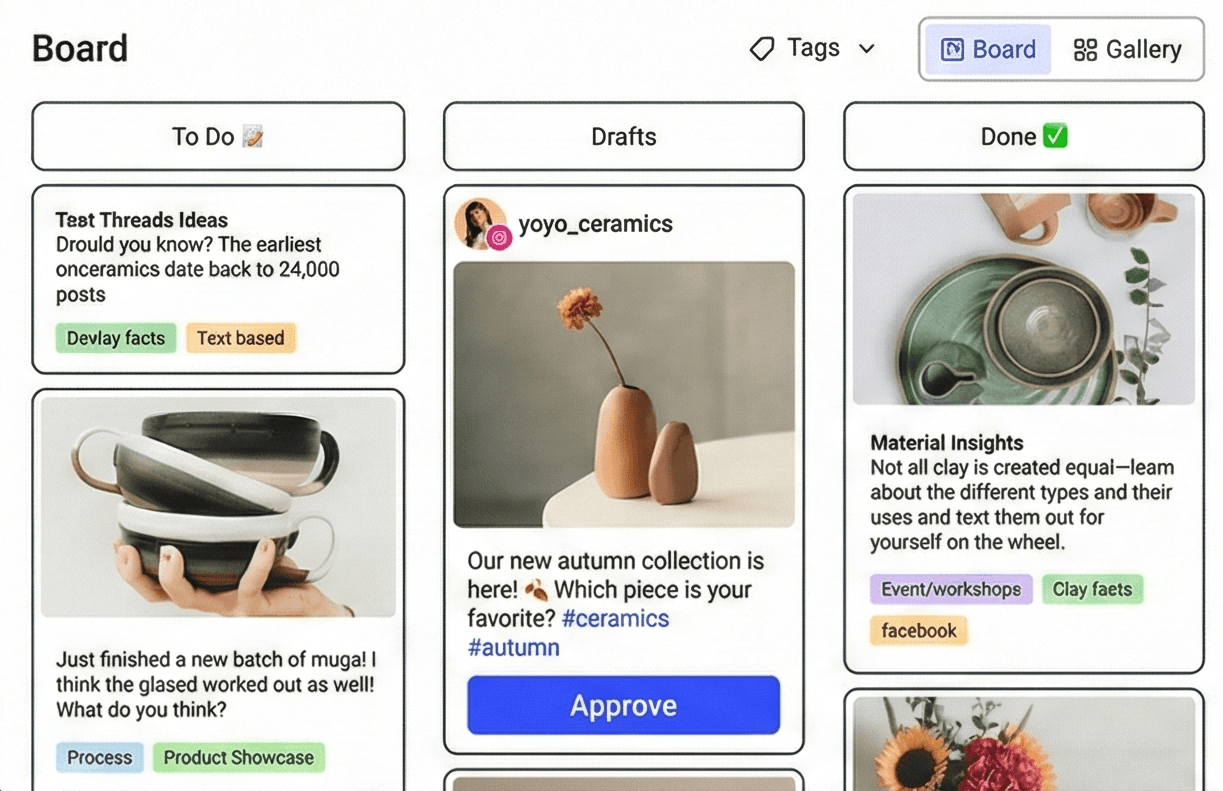
Create high-quality content for every client — faster
Your team can turn ideas into publish-ready content without switching tools. Draft, organize, refine, and prepare content for each client’s platforms — all in one workspace.
- Import client assets from Canva, Drive, Dropbox, and more
- Organize content by client, campaign, or theme
- Build link-in-bio pages for clients in minutes
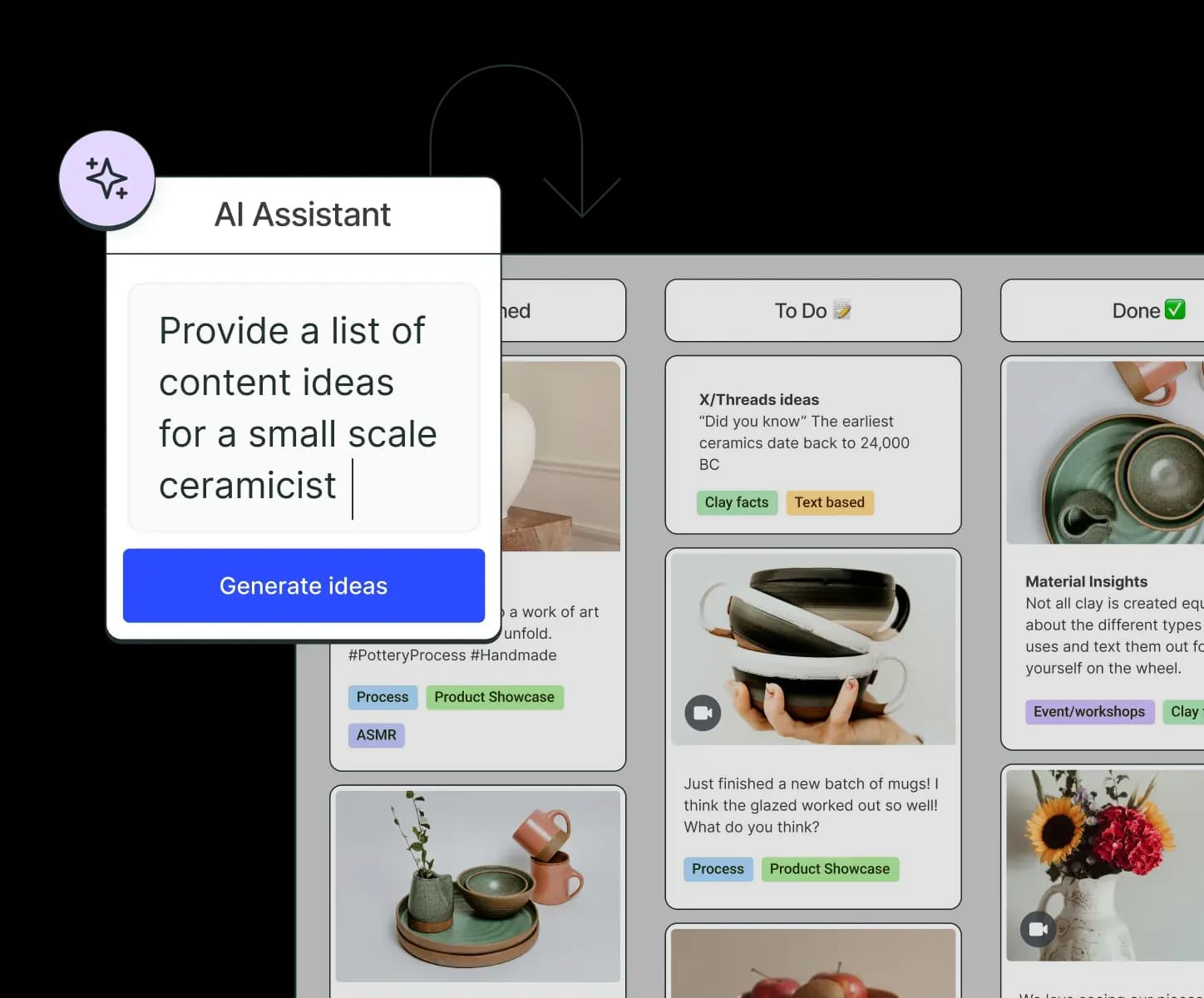
- Use AI to speed up ideation, captions, and variations
Work smoothly with your team and clients
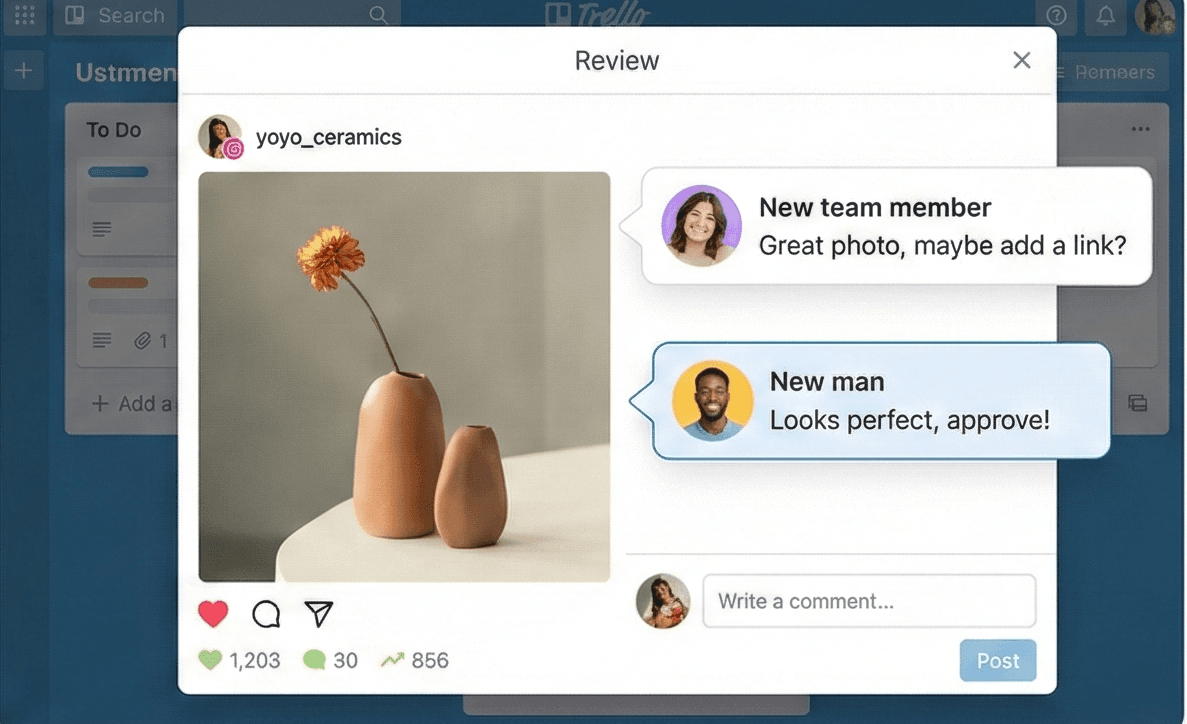
No more scattered feedback or email chains. Kwikzy keeps your agency, clients, and partners aligned in one clear workflow.
- Invite clients and team members to collaborate
- Control access with editor, reviewer, or client-only permissions
- Share notes and feedback directly inside each content piece
Manage client engagement from one unified inbox
Stay on top of comments and messages across platforms — without switching tabs. Your team can respond faster and keep client communities active.
- Reply to comments across multiple clients and platforms
- Sort, filter, and prioritize conversations
- Keep engagement strong with less manual work
Show clients exactly what's working
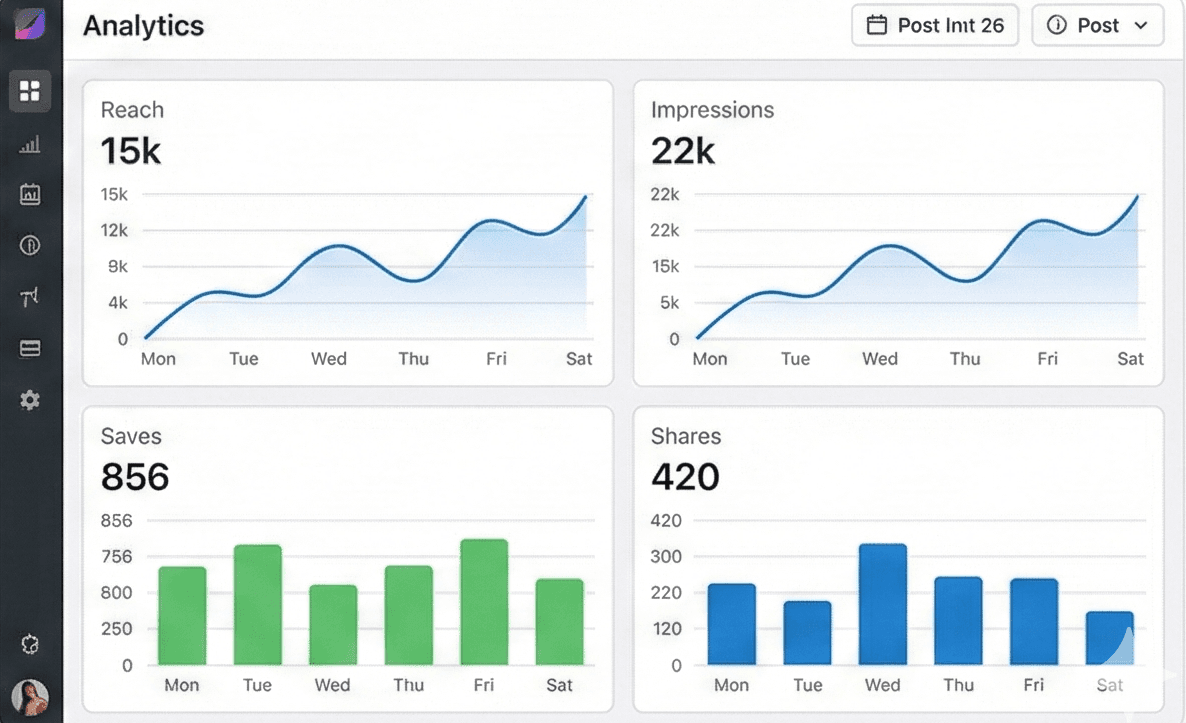
Give clients the insights they care about — from performance to growth. Kwikzy helps your agency make smarter decisions backed by real data.
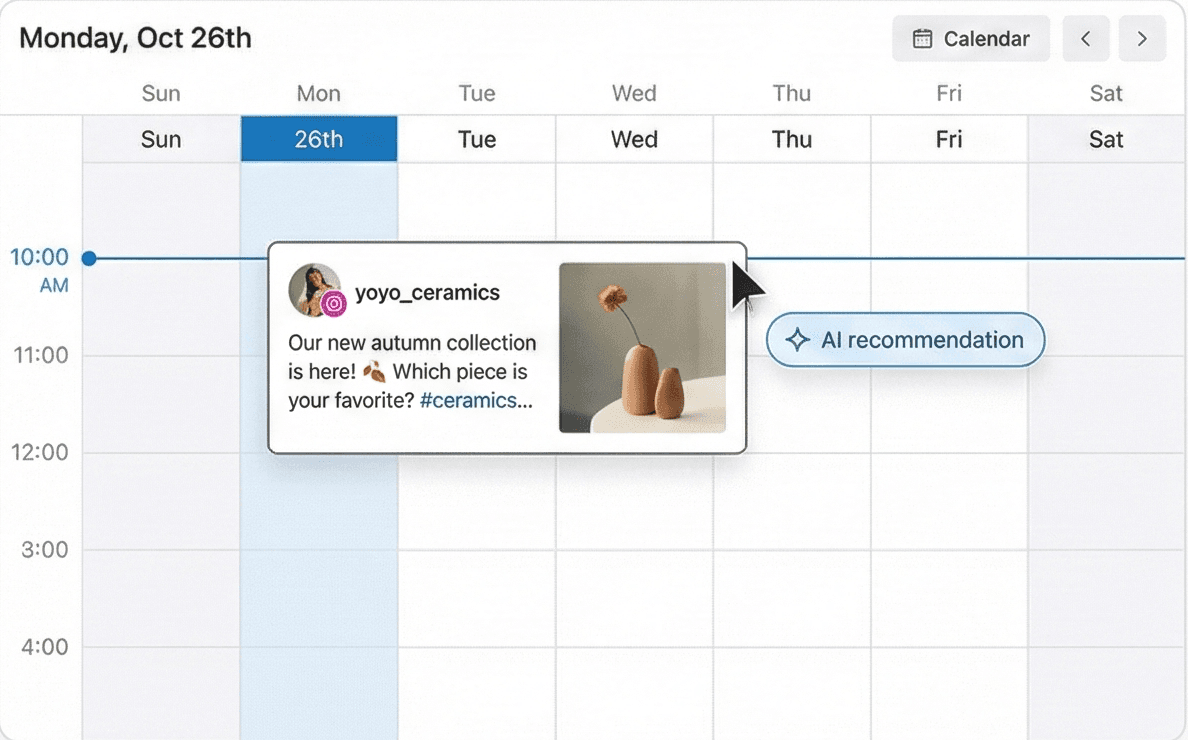
- Find the best posting times for each client
- See client audience demographics
- Identify top-performing posts and reuse winning content
- Track growth, engagement, and campaign performance
Kwikzy For
Unify your content, campaigns, and team across every major platform.
Grow from zero →
one million, one post at a time
Kwikzy helps creators stay organized, post consistently, and scale their audience without burnout.
- Save all your ideas as inspiration strikes
- Learn exactly what content work best and why
- Create once, crosspost everywhere
- Understand your audience better with real insights
THE KWIKZY CREATOR COMMUNITY
Creators Trust Kwikzy to Power Their Workflow
Discover why thousands are switching to a unified workspace that saves time, reduces chaos, and keeps content moving.
food_ishh25
@food_ishh25
"Planning my food content used to take forever… but Kwikzy made my whole weekly calendar in minutes.Like—why was I doing this the hard way all this time? 😭✨ "
wallfleurthings
@wallfleurthings
"I switched between 6 different apps before… now it’s all inside Kwikzy. My brain feels lighter."
prashant.edits
@prashant.edits
"Made my whole client calendar for the month in one sitting. ONE. Kwikzy is officially my new personality."
moodvibes
@_moodvibes_
"Content planning used to take forever. Now it feels like dragging sticky notes on a pretty board. Obsessed!"
the.gareeb.malhotra
@the.gareeb.malhotra
"Kwikzy saved me so much time this week, I almost felt guilty. Almost."
food_ishh25
@food_ishh25
"Planning my food content used to take forever… but Kwikzy made my whole weekly calendar in minutes.Like—why was I doing this the hard way all this time? 😭✨ "
wallfleurthings
@wallfleurthings
"I switched between 6 different apps before… now it’s all inside Kwikzy. My brain feels lighter."
prashant.edits
@prashant.edits
"Made my whole client calendar for the month in one sitting. ONE. Kwikzy is officially my new personality."
moodvibes
@_moodvibes_
"Content planning used to take forever. Now it feels like dragging sticky notes on a pretty board. Obsessed!"
the.gareeb.malhotra
@the.gareeb.malhotra
"Kwikzy saved me so much time this week, I almost felt guilty. Almost."
_nblik
@_nblik
“I used to hop between apps all day. Now I just open Kwikzy and get everything done — content, captions, calendar, all of it. Love how clean and easy it feels.”
ghumakkaada
@ghumakkaada
“I used to hop between apps all day. Now I open Kwikzy and get everything done — content, captions, calendar, all of it. Love how clean and easy it feels.”
eva_rongmei
@eva_rongmei
“Umm… why did nobody tell me social media planning could be this organized? Kwikzy literally cleaned up my entire workflow in an hour.”
ghumakkaada
@ghumakkaada
“I used to hop between apps all day. Now I open Kwikzy and get everything done — content, captions, calendar, all of it. Love how clean and easy it feels.”
_nblik
@_nblik
“I used to hop between apps all day. Now I just open Kwikzy and get everything done — content, captions, calendar, all of it. Love how clean and easy it feels.”
ghumakkaada
@ghumakkaada
“I used to hop between apps all day. Now I open Kwikzy and get everything done — content, captions, calendar, all of it. Love how clean and easy it feels.”
eva_rongmei
@eva_rongmei
“Umm… why did nobody tell me social media planning could be this organized? Kwikzy literally cleaned up my entire workflow in an hour.”
ghumakkaada
@ghumakkaada
“I used to hop between apps all day. Now I open Kwikzy and get everything done — content, captions, calendar, all of it. Love how clean and easy it feels.”
Frequently
asked questions
For any unanswered questions, reach out to our support team via email.
We'll respond as soon as possible to assist you.